
App Preferences
Configure your app's appearance, localization, media handling, notification behavior, and privacy settings.
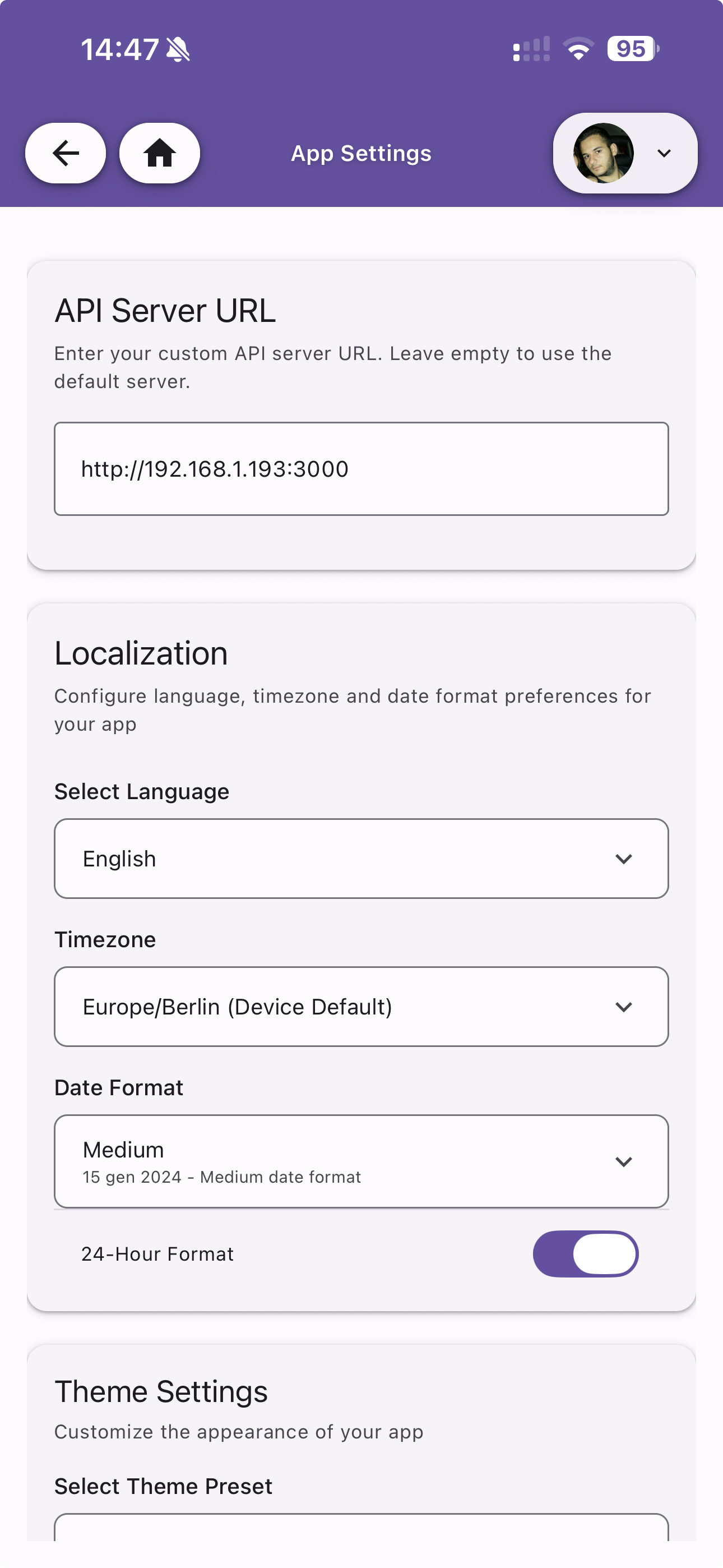
API Server URL
Enter your custom API server URL for self-hosted instances. Leave empty to use the default official server.
Localization
Configure language, timezone, and date format preferences.
| Option | Description |
|---|---|
| Select Language | Choose between English and Italian |
| Timezone | Select your timezone or use the device default |
| Date Format | Choose date display format (Short, Medium, Long, Full) |
| 24-Hour Format | Toggle between 12-hour and 24-hour time display |
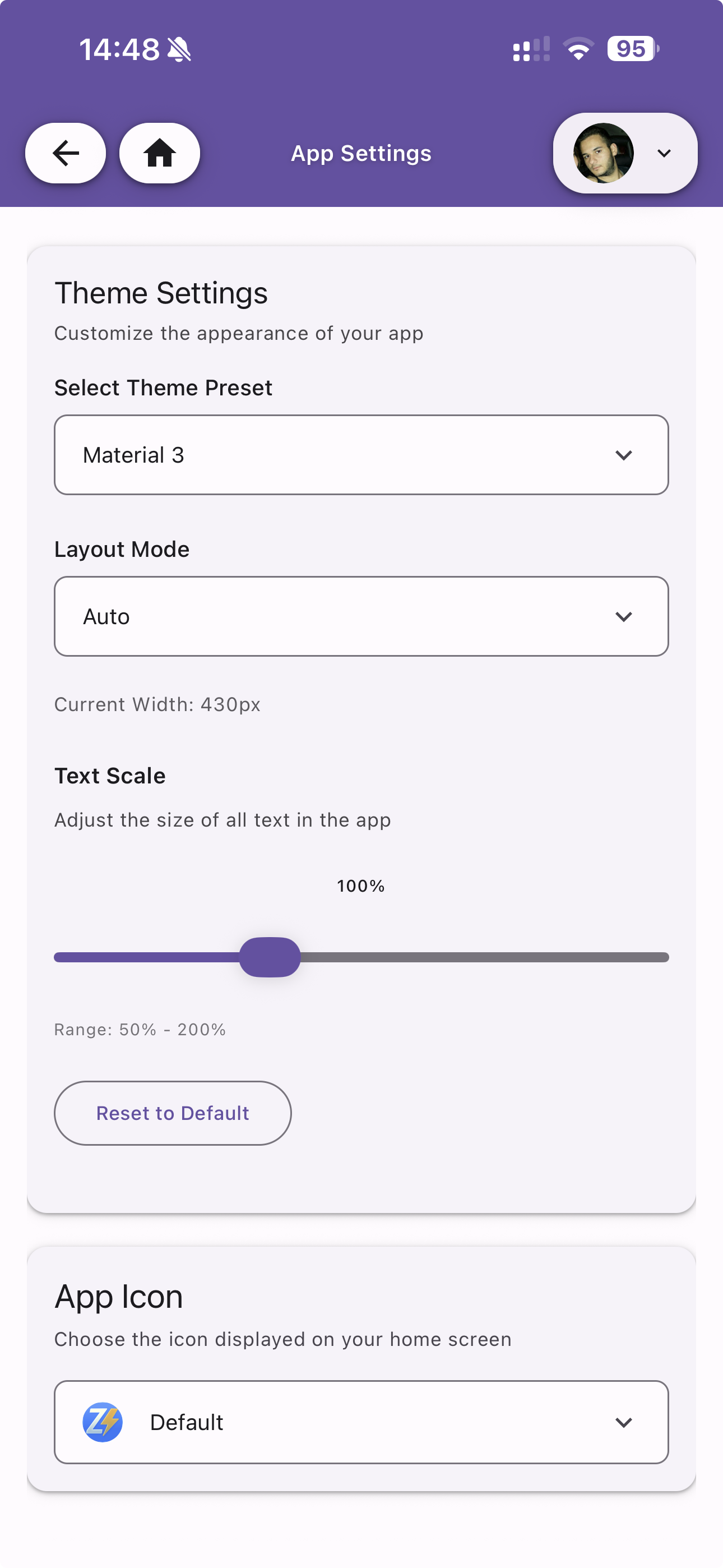
Theme Settings
Customize the appearance of your app.
Theme Preset
Choose from a variety of built-in theme presets:
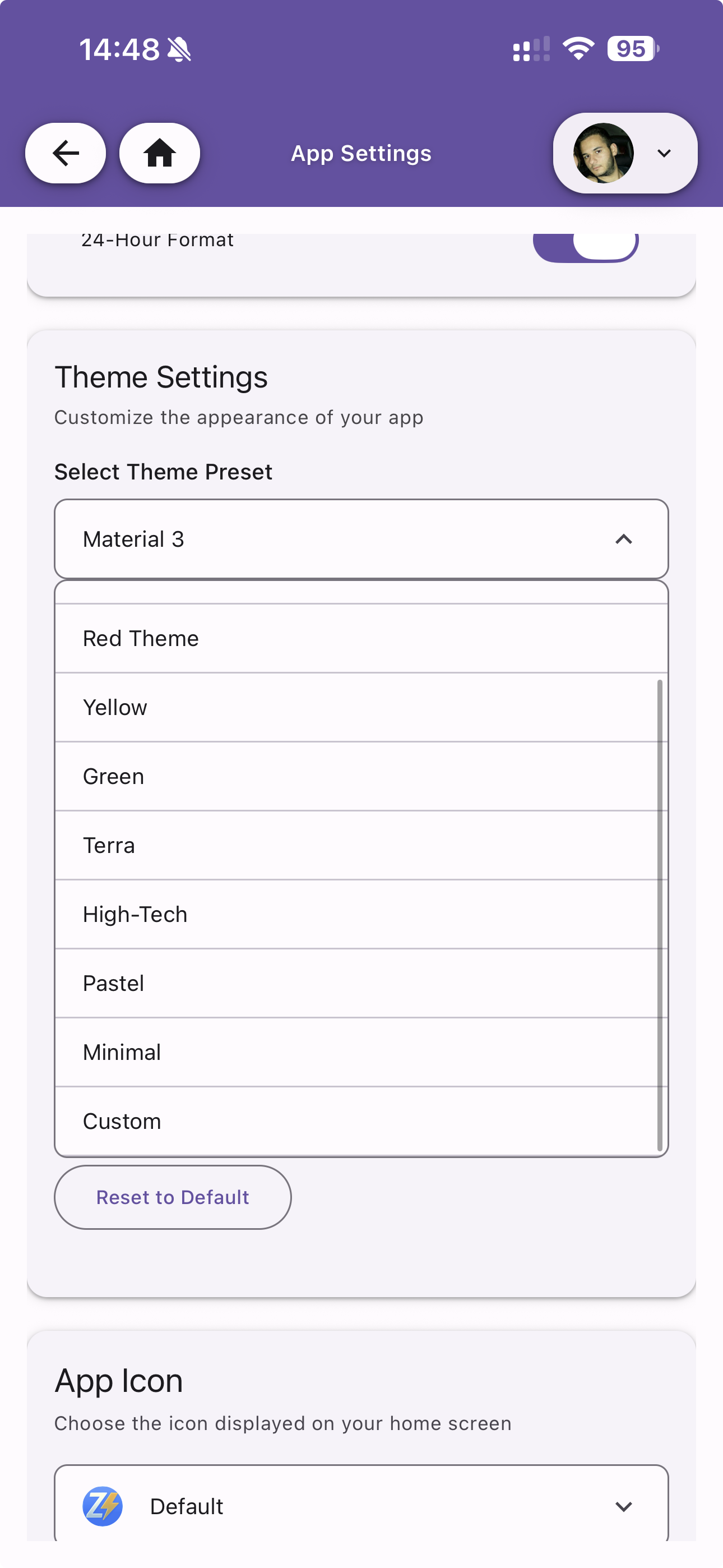
Available presets: Material 3, Red Theme, Yellow, Green, Terra, High-Tech, Pastel, Minimal, Custom.
Layout Mode
Control the app layout. Set to Auto to let the app choose based on screen width, or force a specific layout.
Text Scale
Adjust the size of all text in the app using a slider (range: 50% – 200%). Tap Reset to Default to restore 100%.
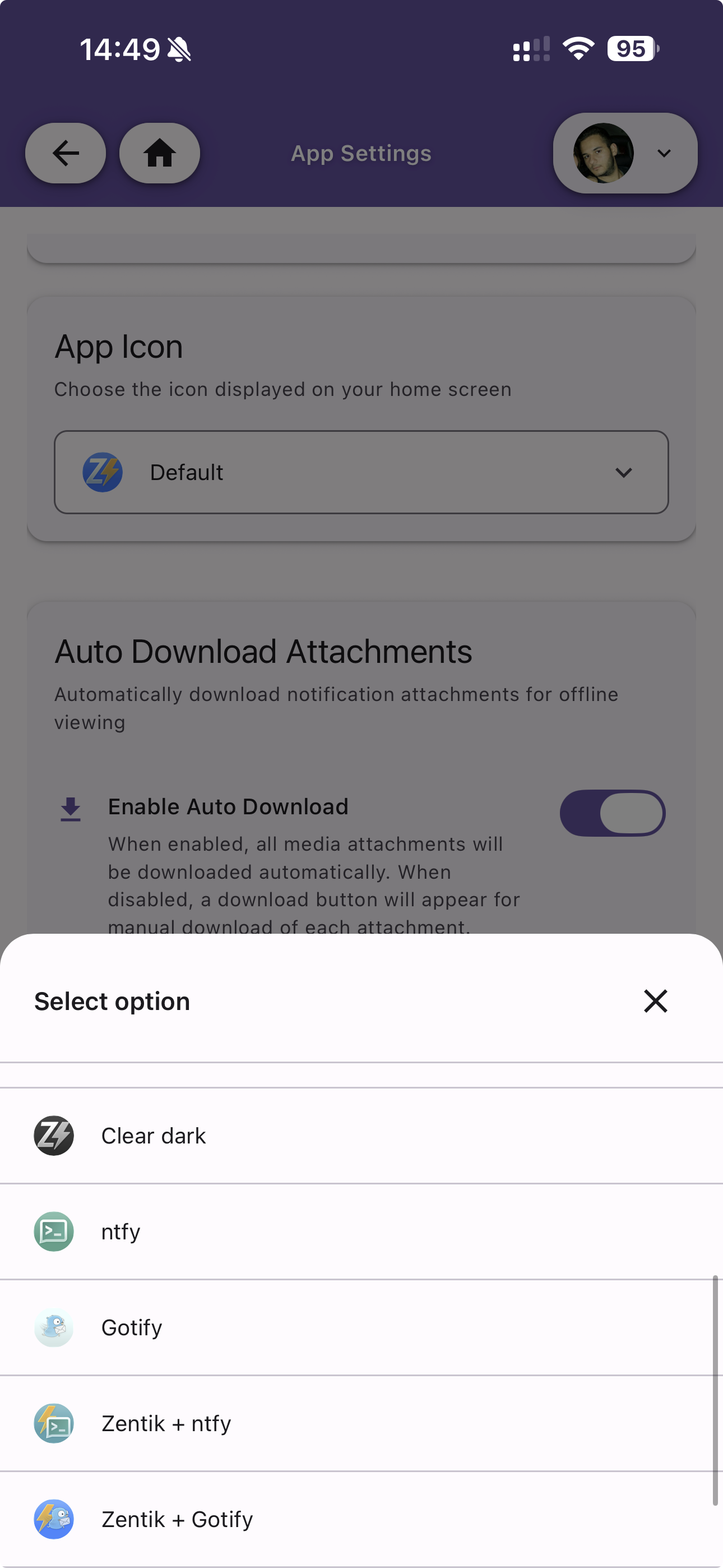
App Icon
Choose the icon displayed on your home screen. Multiple icon options are available:
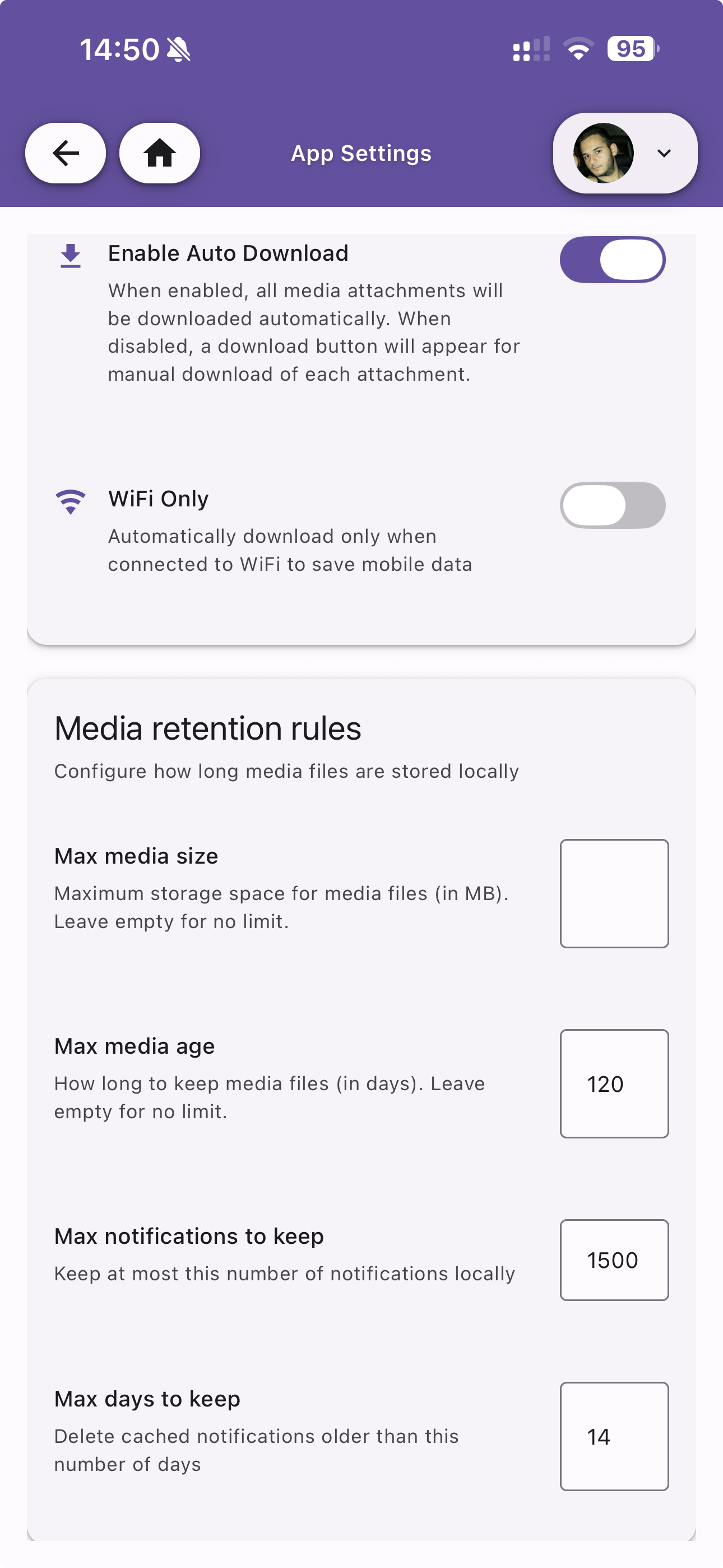
Auto Download Attachments
Configure automatic downloading of notification attachments for offline viewing.
| Option | Description |
|---|---|
| Enable Auto Download | When enabled, all media attachments are downloaded automatically. When disabled, a download button appears for manual download |
| WiFi Only | Only auto-download when connected to WiFi to save mobile data |
Media Retention Rules
Configure how long media files are stored locally on the device.
| Option | Description |
|---|---|
| Max media size | Maximum storage space for media files (in MB). Leave empty for no limit |
| Max media age | How long to keep media files (in days). Leave empty for no limit |
| Max notifications to keep | Maximum number of notifications stored locally |
| Max days to keep | Delete cached notifications older than this number of days |
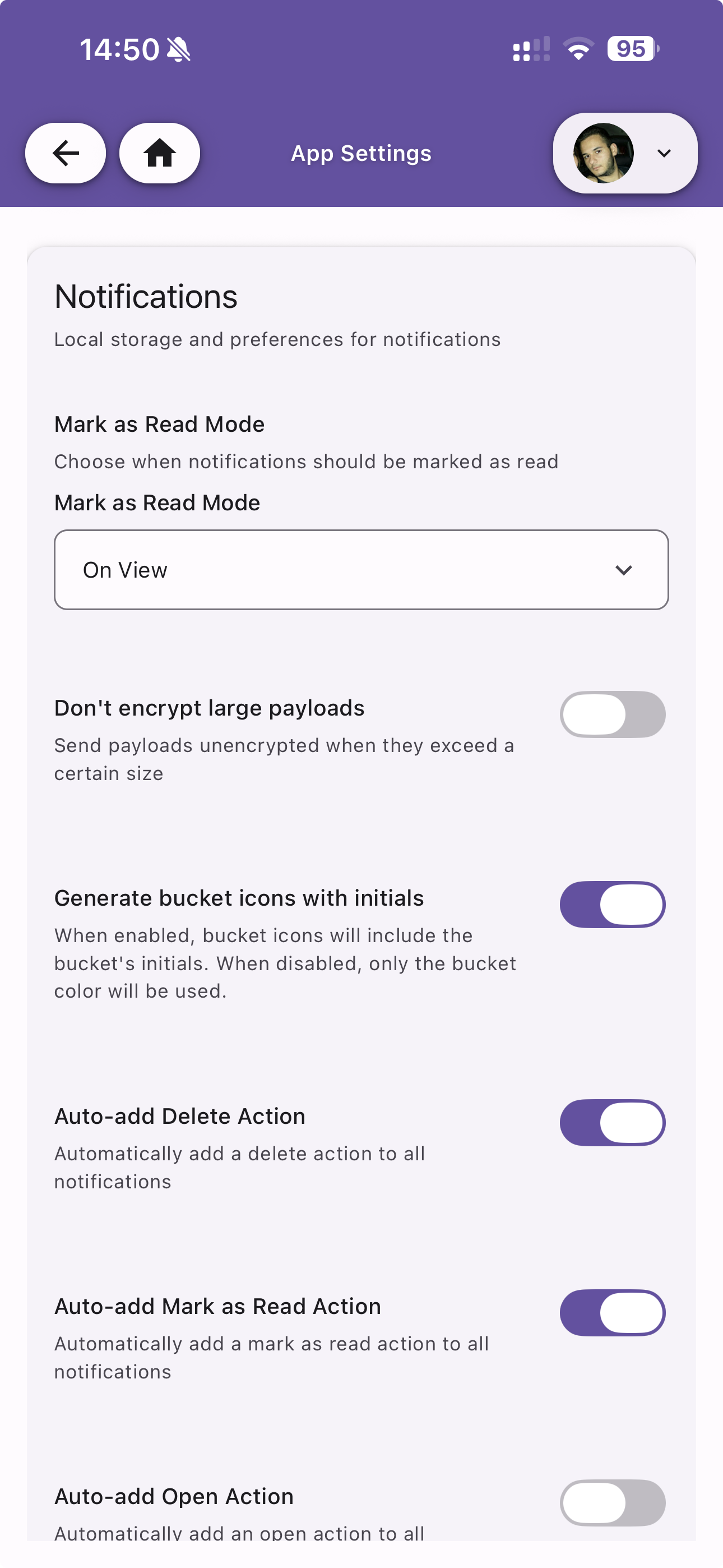
Notifications
Local storage and behavior preferences for notifications.
| Option | Default | Description |
|---|---|---|
| Mark as Read Mode | On View | Choose when notifications are marked as read: on view, on tap, or manually |
| Don't encrypt large payloads | Off | Send payloads unencrypted when they exceed a certain size |
| Generate bucket icons with initials | On | When enabled, bucket icons include the bucket's initials. When disabled, only the bucket color is used |
| Auto-add Delete Action | On | Automatically add a delete action to all notifications |
| Auto-add Mark as Read Action | On | Automatically add a mark as read action to all notifications |
| Auto-add Open Action | Off | Automatically add an open action to all notifications |
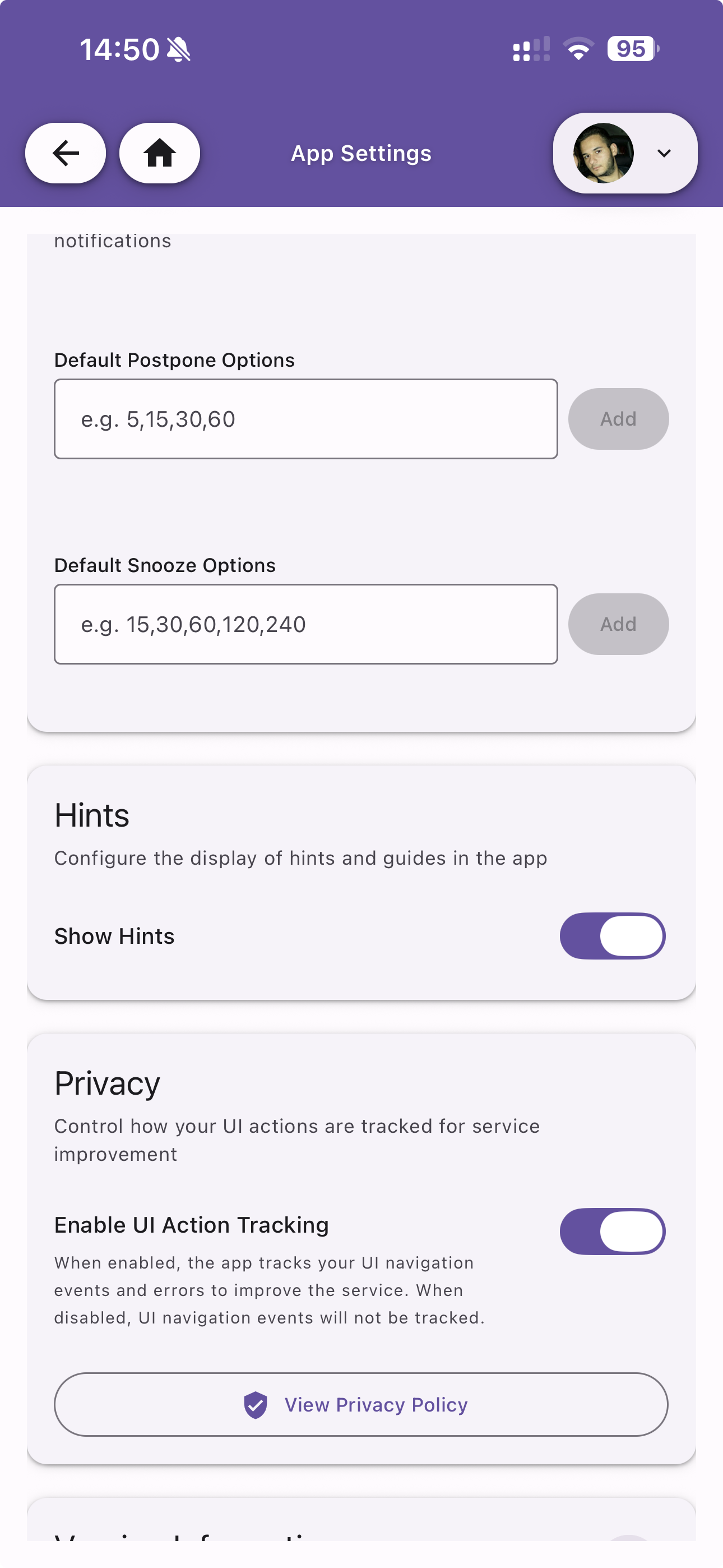
| Default Postpone Options | — | Comma-separated list of postpone durations in minutes (e.g. 5,15,30,60) |
| Default Snooze Options | — | Comma-separated list of snooze durations in minutes (e.g. 15,30,60,120,240) |
Hints
Configure the display of hints and guides in the app.
| Option | Default | Description |
|---|---|---|
| Show Hints | On | Toggle the display of contextual hints throughout the app |
Privacy
Control how your UI actions are tracked for service improvement.
| Option | Default | Description |
|---|---|---|
| Enable UI Action Tracking | On | When enabled, the app tracks UI navigation events and errors to improve the service. When disabled, no tracking occurs |
A View Privacy Policy link is available to review the full privacy policy.