
App Settings
Application Logs
View local application logs for debugging and troubleshooting directly on the device.
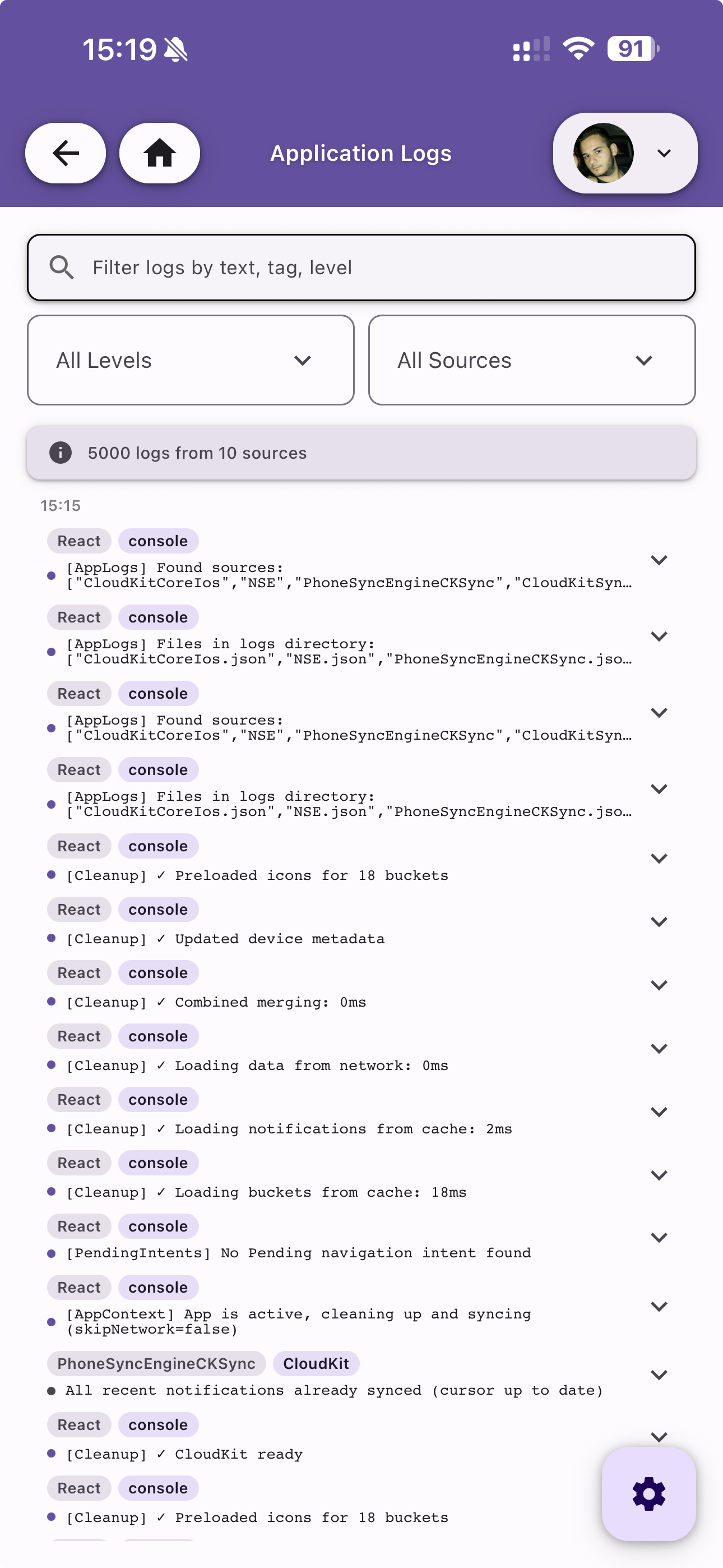
Log Viewer
Browse all client-side logs with the total count displayed at the top. Each log entry shows:
- Timestamp — When the event occurred
- Source — The module or engine that generated the log (e.g. React, CloudKit, PhoneSyncEngine)
- Level badge — Log severity (console, error, etc.)
- Message — The log content
Filtering
Use the controls at the top to narrow down the logs:
- Search — Filter logs by text, tag, or level
- Level — Filter by log level (All Levels, error, warning, etc.)
- Source — Filter by log source (All Sources, React, CloudKit, etc.)
Actions
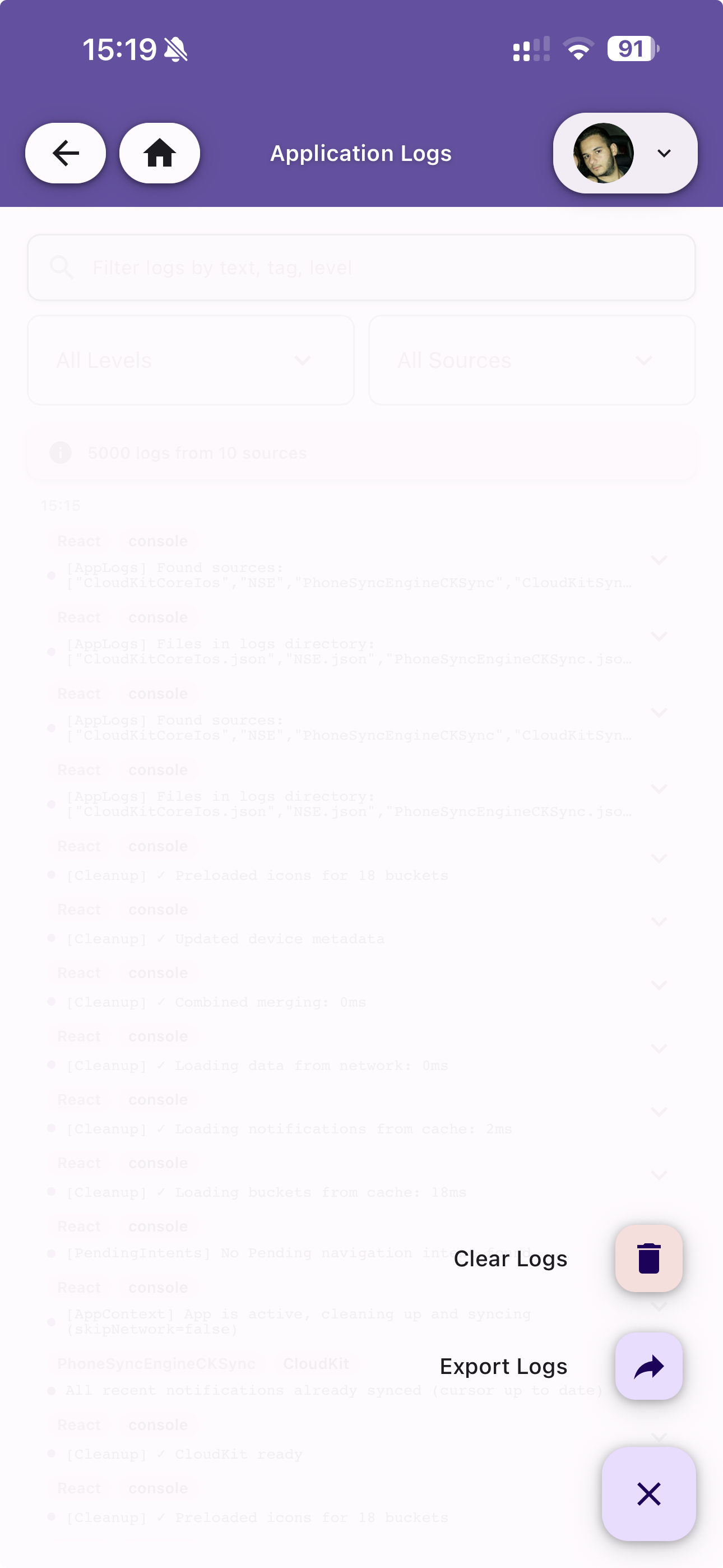
Tap the action button at the bottom-right to:
- Clear Logs — Delete all local logs from the device
- Export Logs — Share the logs for external analysis or bug reporting