
App Settings
External Servers
Connect to external notification systems such as Ntfy and Gotify to receive their notifications through Zentik.
Note: External servers are only available for self-hosted instances.
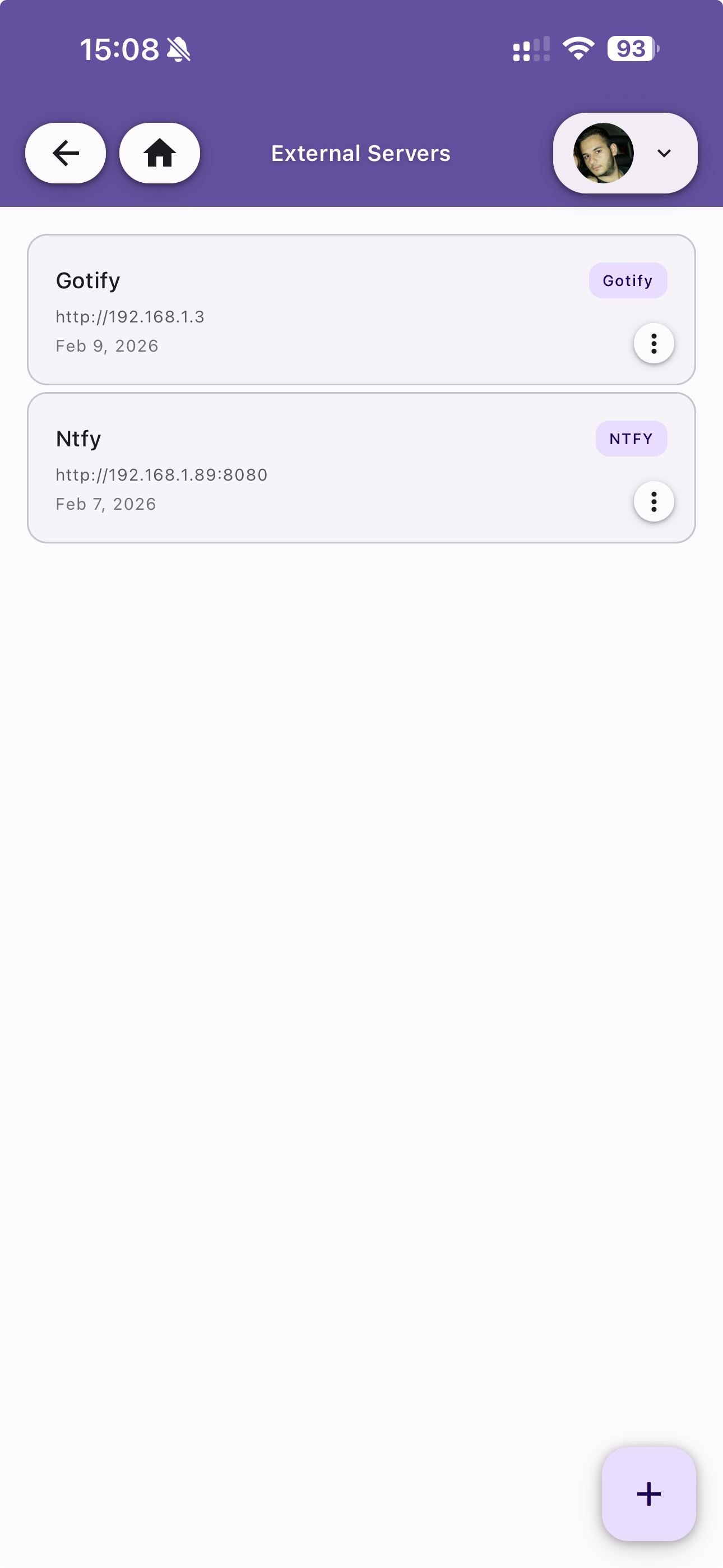
Server List
View all configured external servers. Each entry shows:
- Name — The server name
- Type badge — NTFY or Gotify
- Server URL — The connection endpoint
- Created date — When the server was added
Tap the menu icon to edit or delete a server. Use the + button to add a new server.
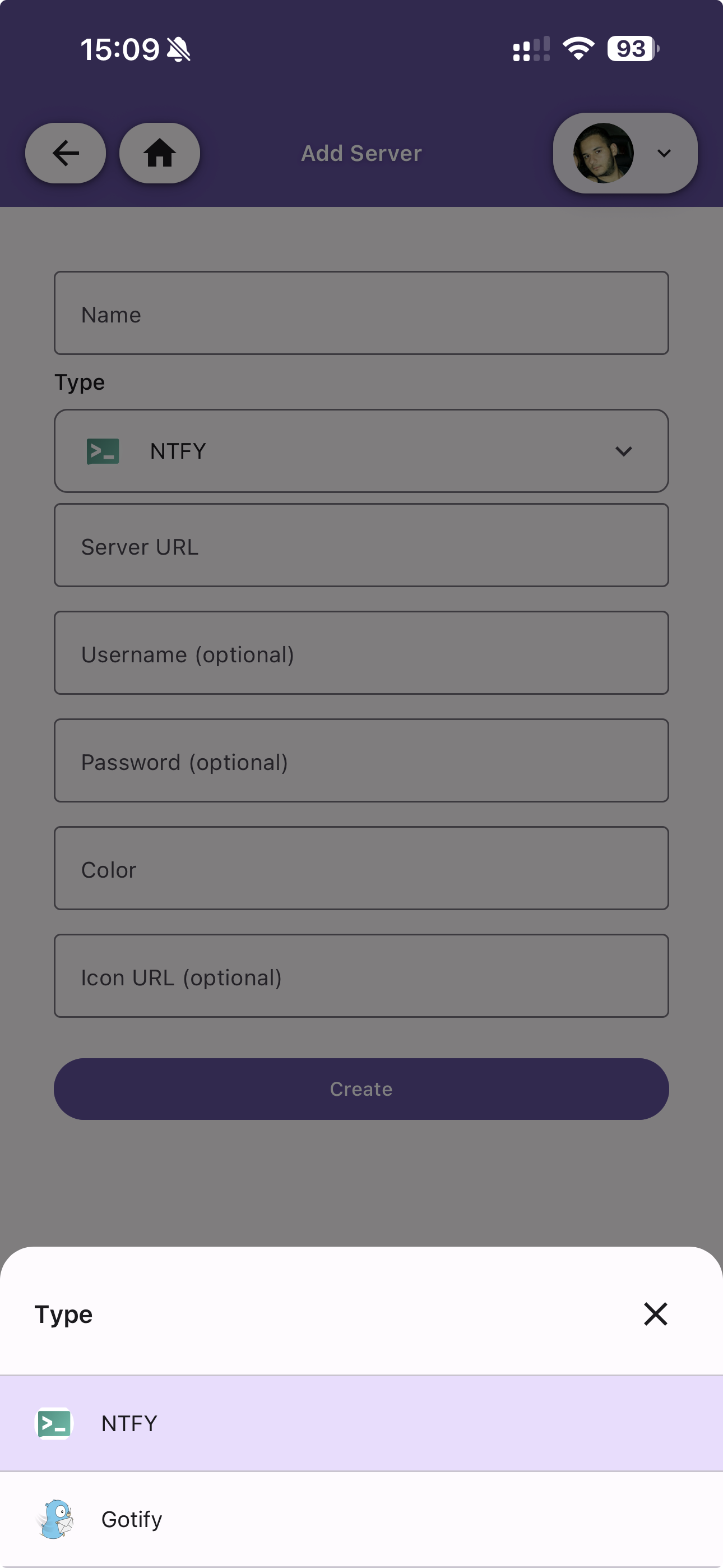
Add Server
Configure a new external server connection with the following fields:
| Field | Description |
|---|---|
| Name | A descriptive name for the server |
| Type | The server type — NTFY or Gotify |
| Server URL | The URL of the external server |
| Username | Optional authentication username |
| Password | Optional authentication password |
| Color | A color to visually identify the server |
| Icon URL | Optional custom icon URL for the server |
Once created, the server can be linked to specific buckets from the Buckets settings. Zentik will listen for incoming notifications from the external server via SSE and deliver them through your configured push providers.