
App Settings
My Attachments
Browse and manage all attachments uploaded to the server.
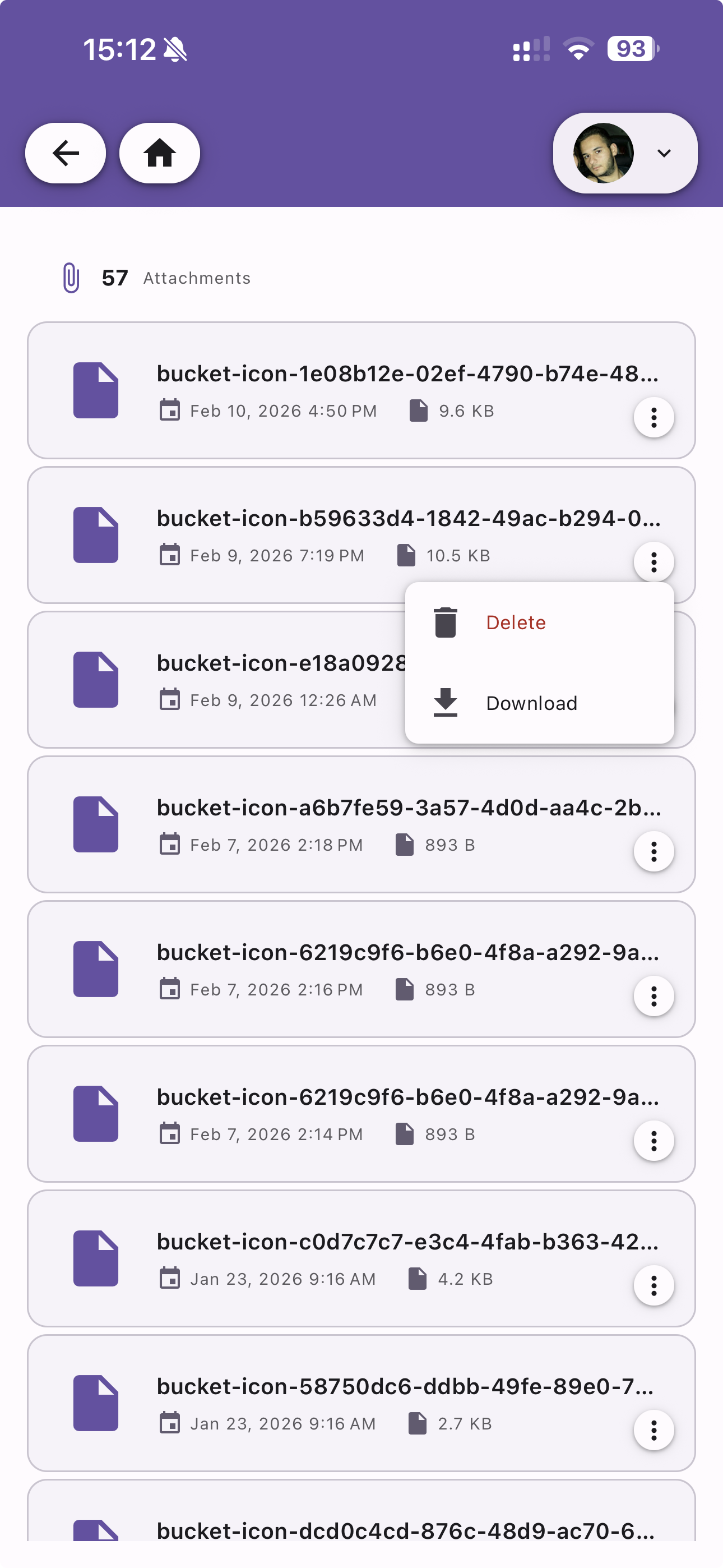
Attachment List
View all your uploaded files with a total count displayed at the top. Each attachment shows:
- File name — The attachment identifier
- Upload date — When the file was uploaded
- File size — Size of the attachment (e.g. 9.6 KB, 893 B)
Actions
Tap the menu icon on any attachment to:
- Delete — Permanently remove the attachment from the server
- Download — Download the attachment to your device