
App Settings
Pending Messages
View and manage messages that are scheduled for future delivery.
What Are Pending Messages?
Pending messages are notifications that have been created but not yet delivered. This page shows two types of pending messages:
- Scheduled messages — Messages sent with a
scheduledSendAtdate set in the future. This allows you to plan notifications ahead of time (e.g. a reminder in 1 hour, a daily digest at 9 AM). To schedule a message, include thescheduledSendAtfield (ISO 8601 date) in your API request when creating a notification. - Postponed notifications — Notifications that have already been received but were postponed by the user from the notification actions. These will be re-delivered at the postponed time.
Message List
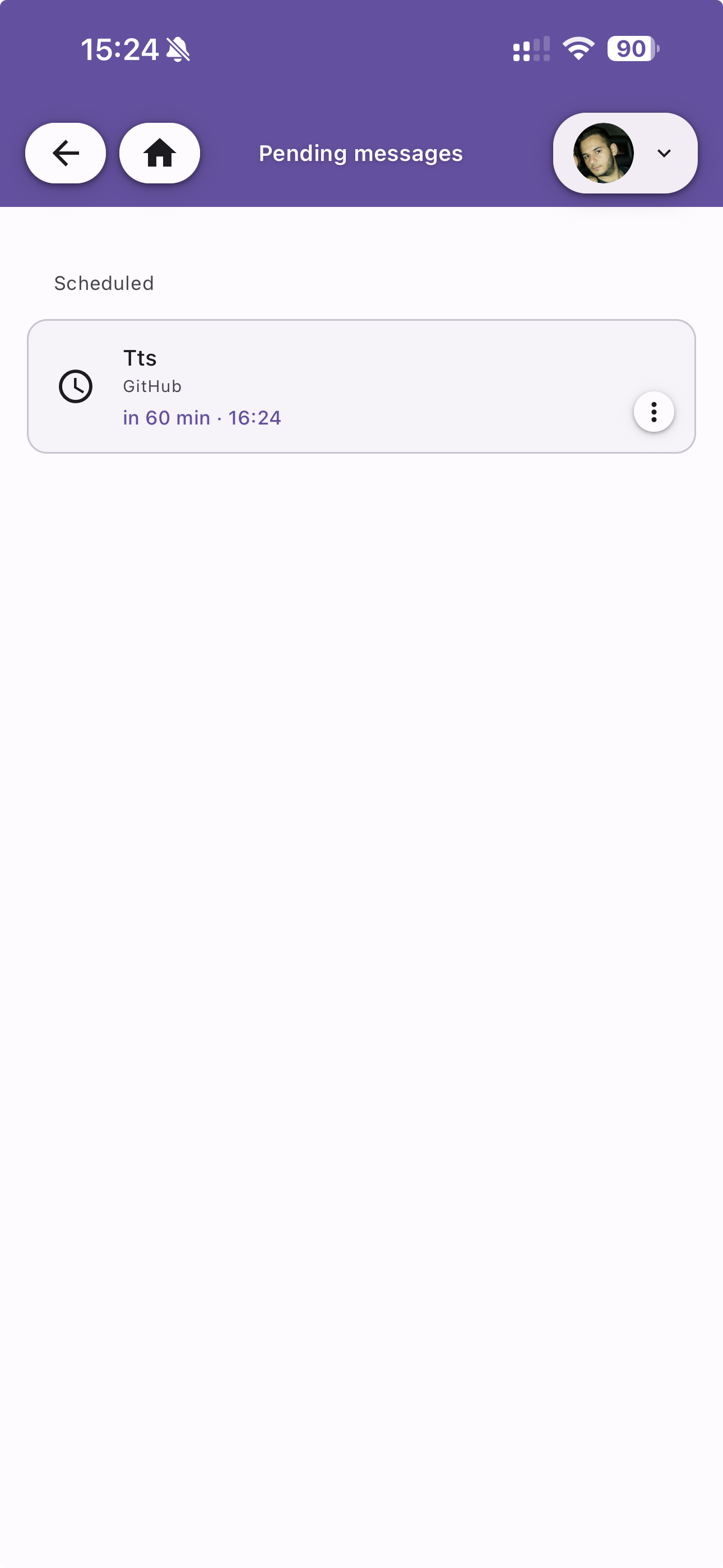
Pending messages are grouped under the Scheduled section. Each entry shows:
- Title — The message title
- Bucket — The destination bucket
- Time remaining — Countdown to delivery (e.g. "in 60 min") and the scheduled time
Message Details
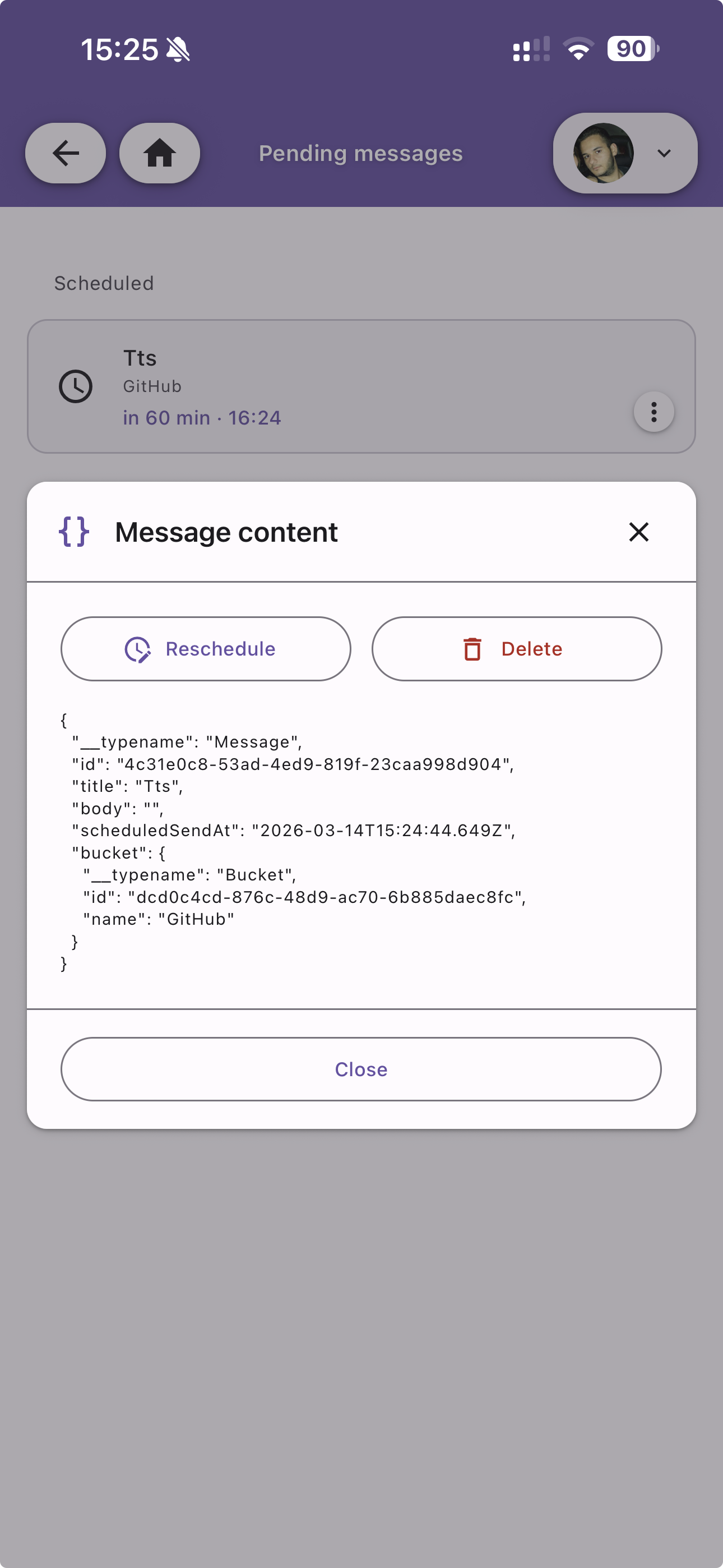
Tap a pending message to view its full content as JSON, including the message ID, title, body, scheduled date, and destination bucket.
From the detail view you can:
- Reschedule — Change the delivery time
- Delete — Cancel the scheduled message entirely