
App Settings
Push Notifications
View notification statistics, manage registered devices, and send test notifications.
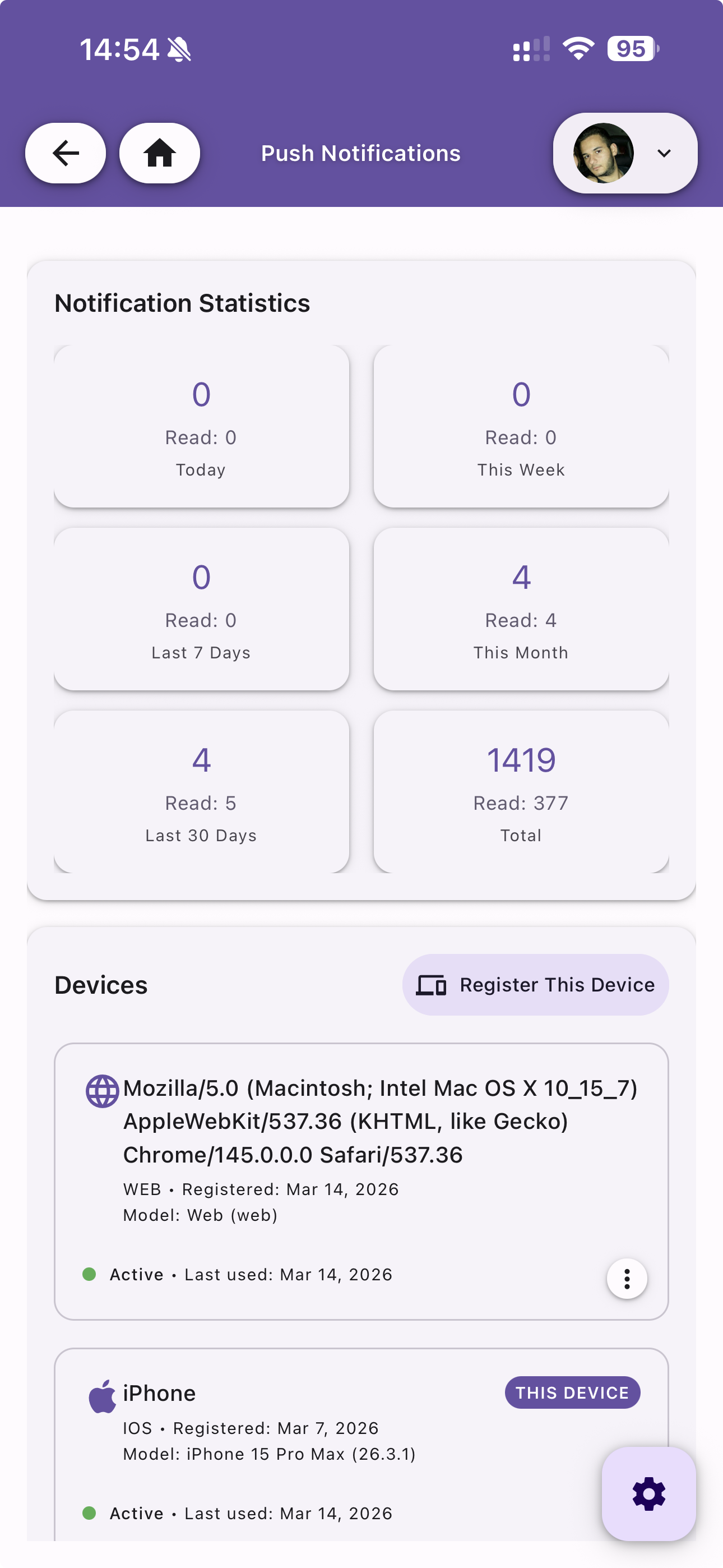
Notification Statistics
A dashboard showing notification counts and read rates across different time periods:
| Period | Description |
|---|---|
| Today | Notifications received and read today |
| This Week | Current week statistics |
| Last 7 Days | Rolling 7-day window |
| This Month | Current month statistics |
| Last 30 Days | Rolling 30-day window |
| Total | All-time totals |
Devices
View all registered devices with their details:
- User agent / Device name — Identifies the device and browser or OS
- Platform — WEB, IOS, or Android
- Registered date — When the device was first registered
- Model — Device model (e.g. iPhone 15 Pro Max)
- Status — Active or inactive, with last used date
- THIS DEVICE badge — Highlights your current device
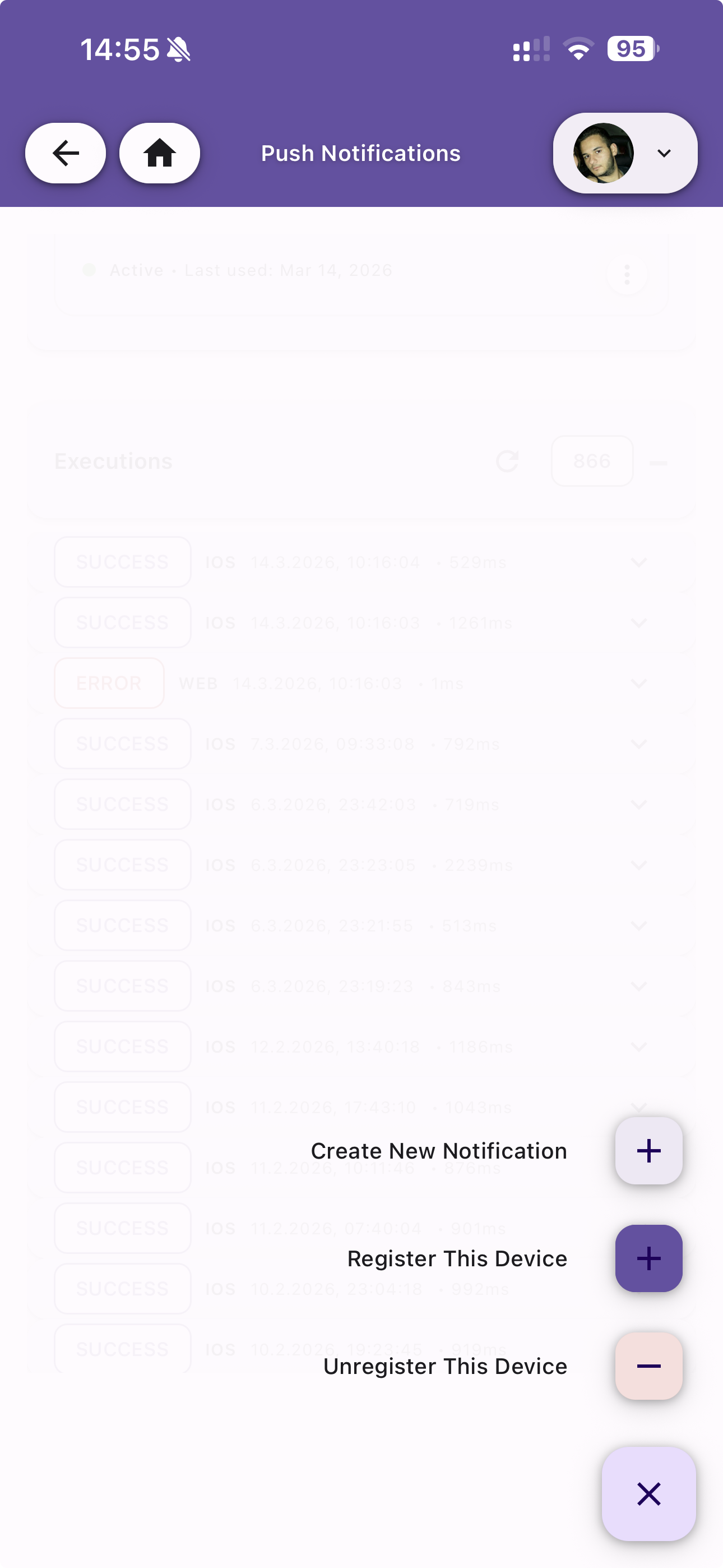
Actions
- Register This Device — Register the current device for push notifications
- Unregister This Device — Remove the current device from push notification delivery
Executions
View the history of push notification deliveries for each device, showing the status of each execution (SUCCESS, ERROR).
Create New Notification
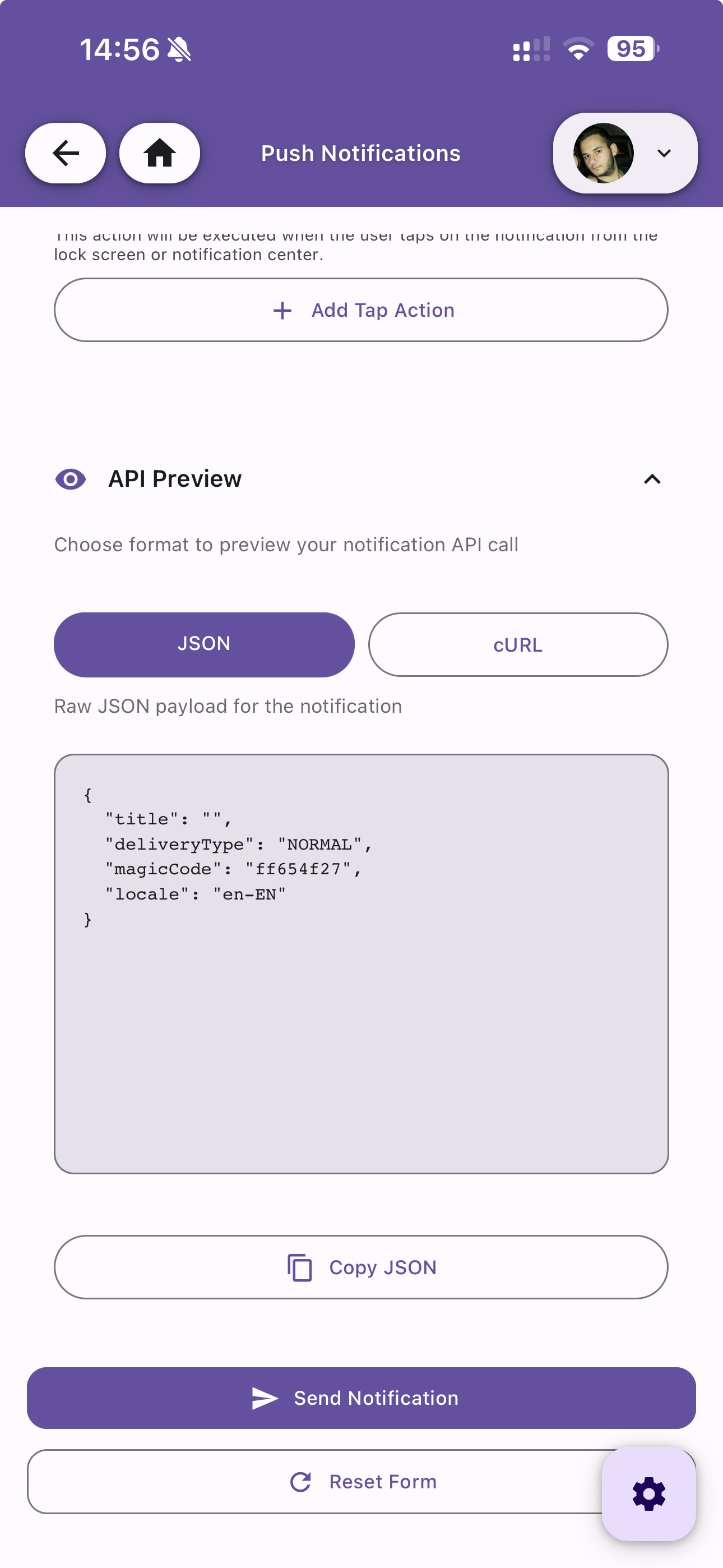
Build and send a test notification directly from the app. Configure all message fields using a form, then preview the API call before sending.
API Preview
Preview the notification payload in two formats:
- JSON — View the raw JSON payload
- cURL — View the equivalent cURL command
Use Copy JSON to copy the payload to clipboard, Send Notification to deliver it, or Reset Form to start over.