
User Profile
Manage your account details, sessions, connected accounts, and admin subscriptions.
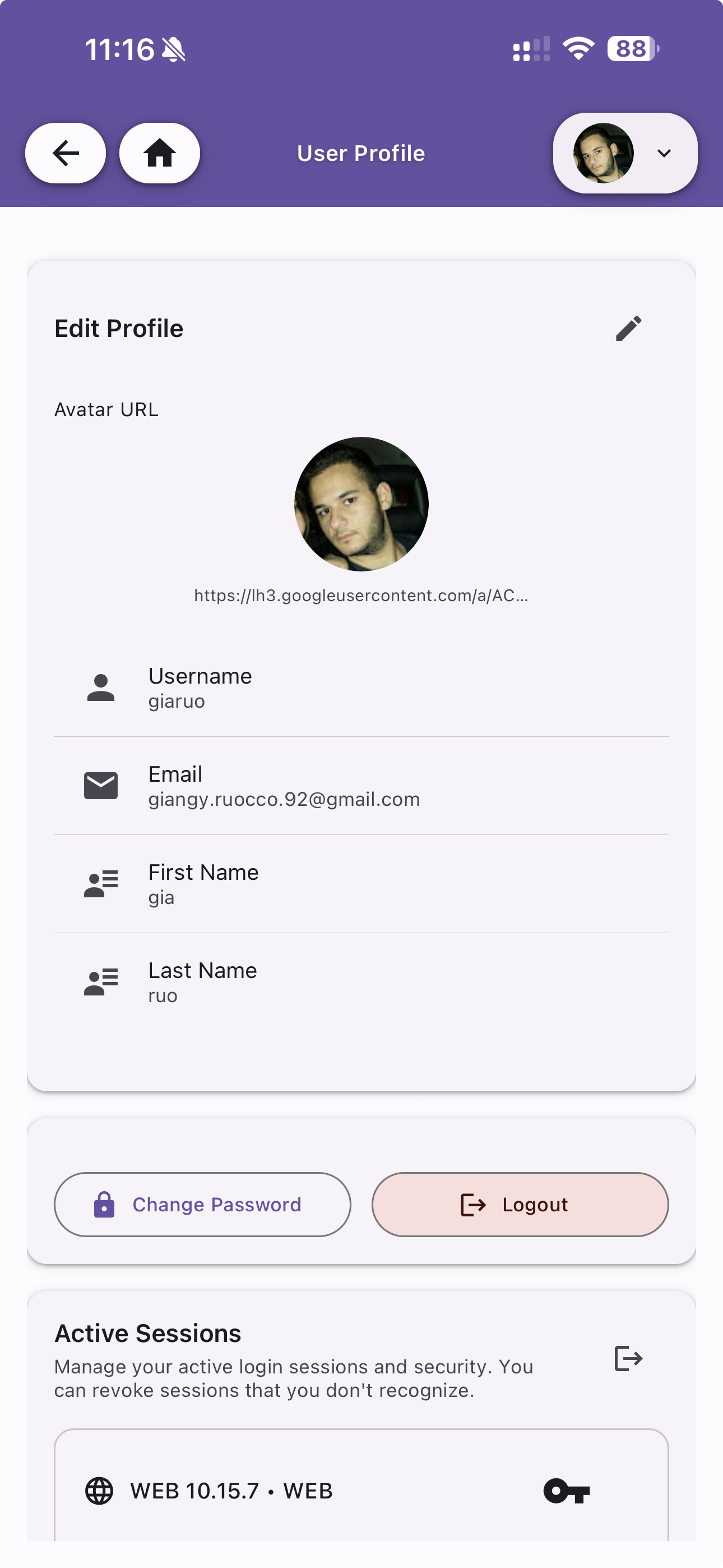
Edit Profile
Update your personal information:
- Avatar URL — URL for your profile picture (auto-filled when using a social provider)
- Username — Your unique username
- Email — Your email address
- First Name / Last Name — Display name fields
Tap the edit icon to modify your details. Changes are saved immediately.
Change Password & Logout
- Change Password — Update your password (available for local accounts)
- Logout — Sign out from the current session
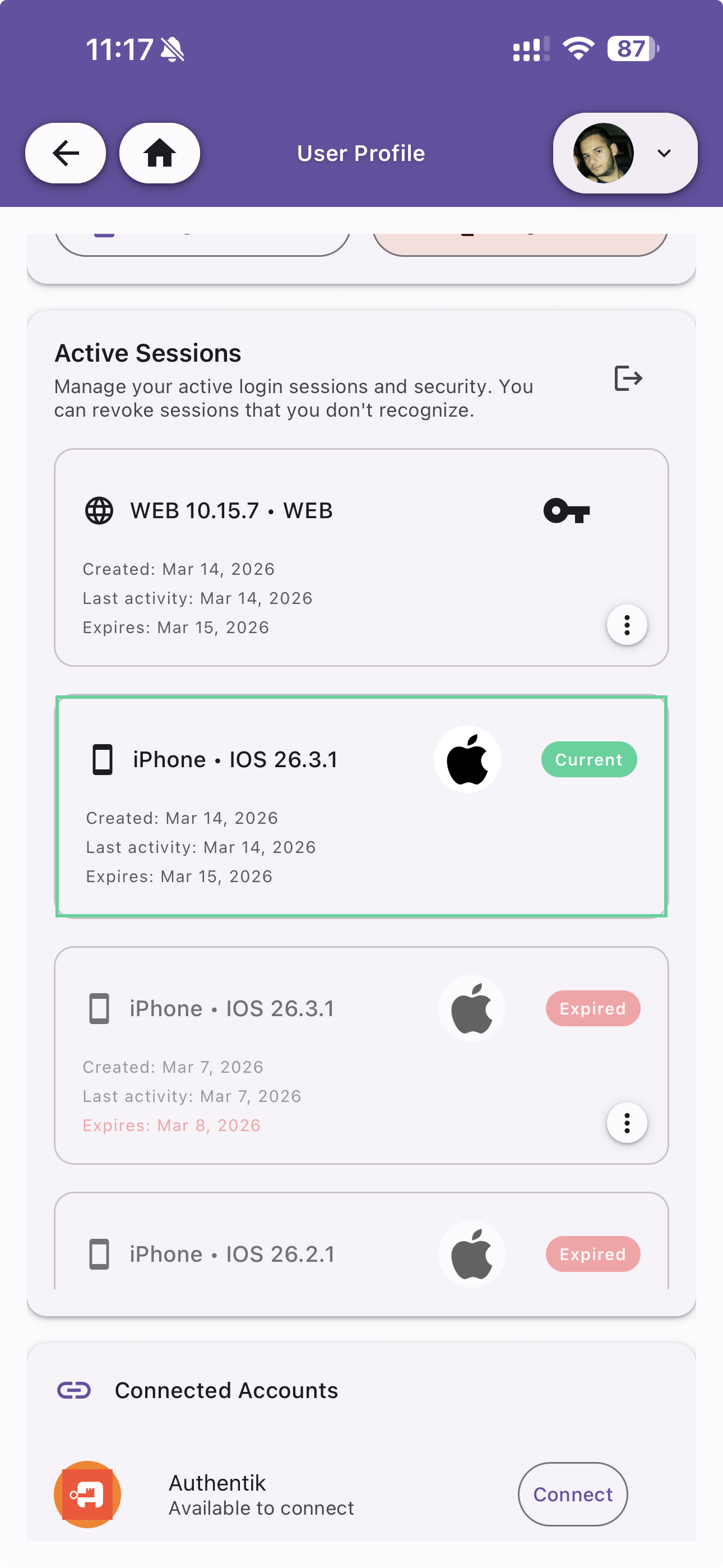
Active Sessions
View and manage all active login sessions across your devices. Each session shows:
- Device type and OS version (e.g. iPhone - iOS 26.3.1, WEB 10.15.7)
- Created date — When the session was initiated
- Last activity — Most recent interaction
- Expires — When the session will expire
- Status —
Currentfor your active session,Expiredfor sessions that have timed out
You can revoke sessions you don't recognize by tapping the menu icon on each entry.
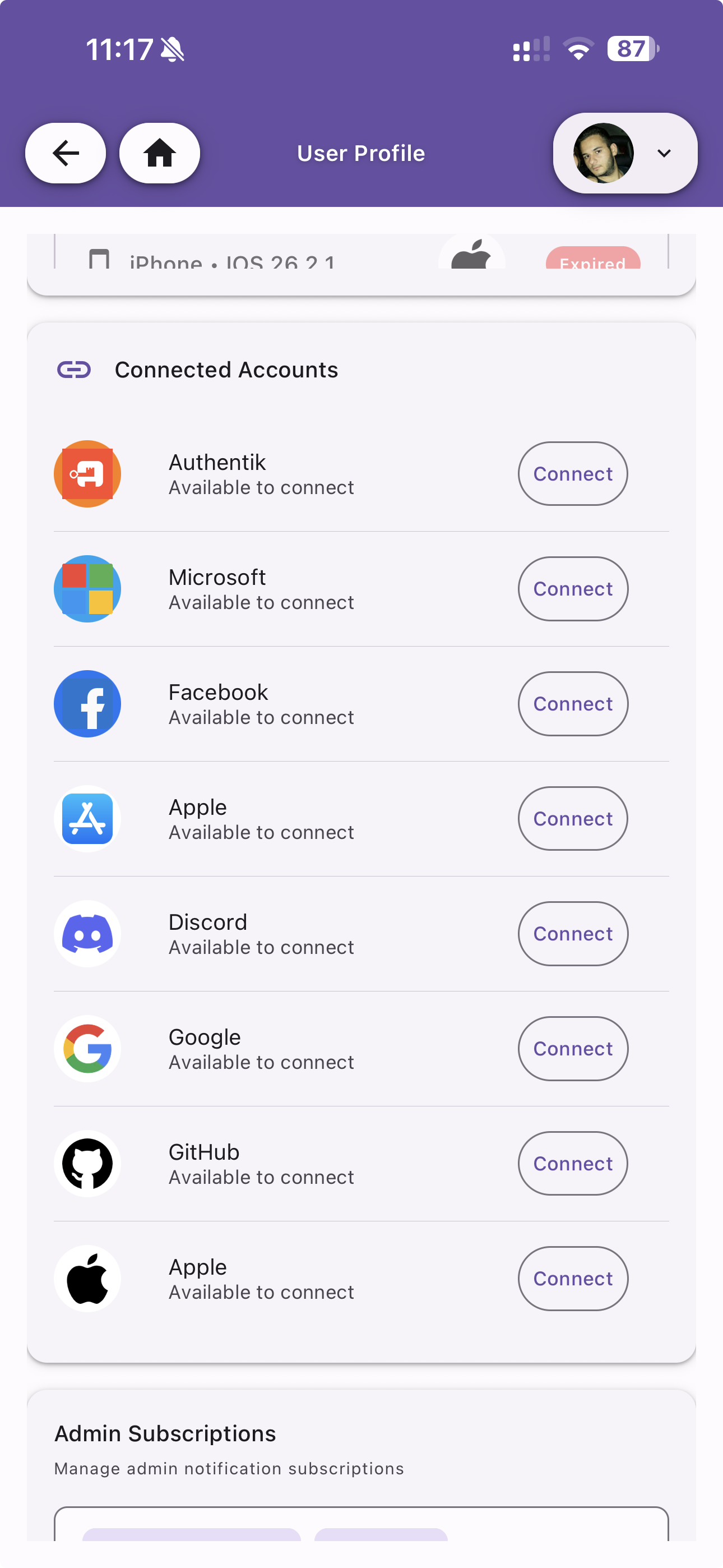
Connected Accounts
Link or unlink social login providers to your account. Supported providers:
- Authentik
- Microsoft
- Apple
- Discord
- GitHub
Once connected, you can use any linked provider to log in. Providers must be enabled by the server admin in the OAuth Providers configuration.
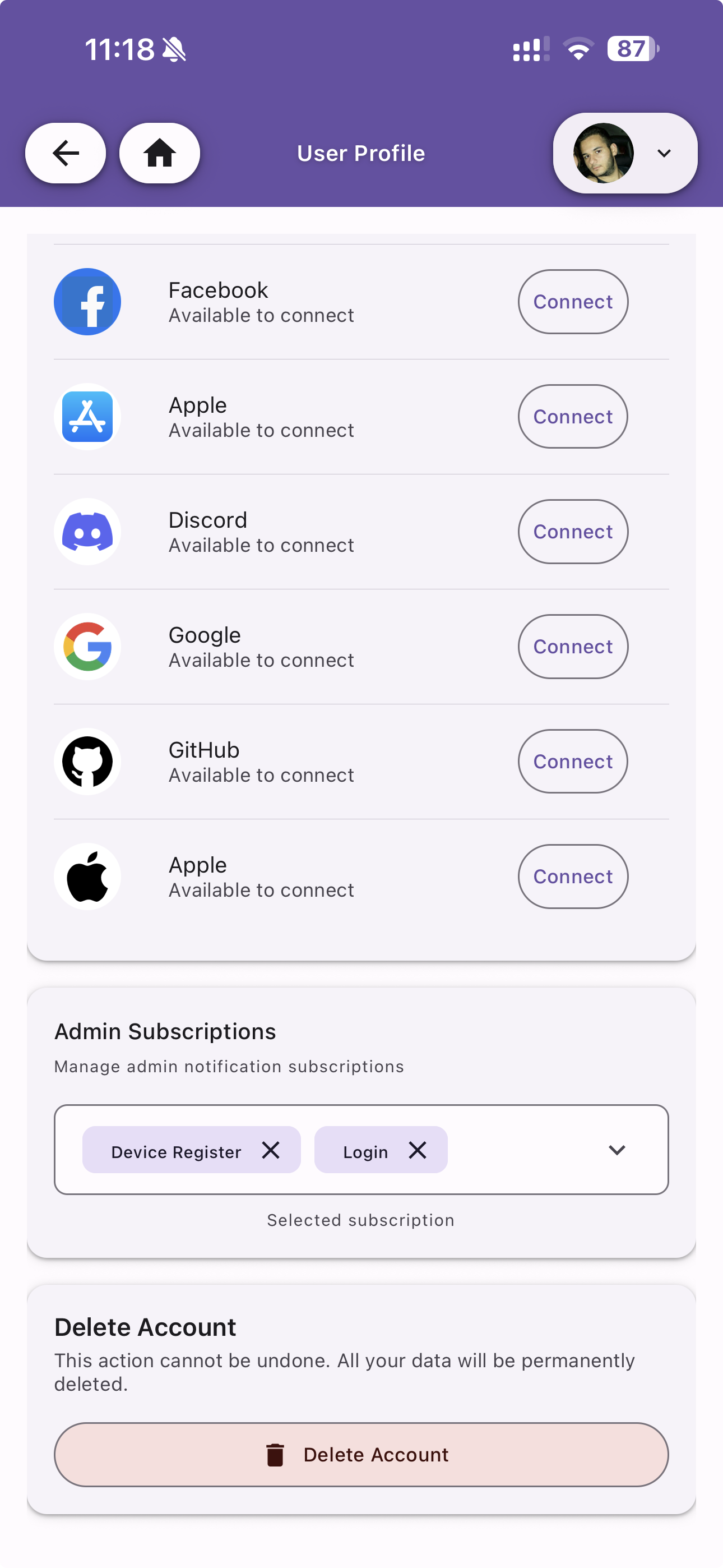
Admin Subscriptions
Available to admin users. Subscribe to system-level notification events to receive push notifications when specific actions occur, such as:
- Device Register — When a new device is registered
- Login — When a user logs in
Select the events you want to monitor from the dropdown. Active subscriptions are shown as chips and can be removed individually.
Delete Account
Permanently delete your account and all associated data. This action cannot be undone.