
App Settings
User Templates
Create and manage reusable message templates for sending recurring or standardized notifications. Templates support placeholders (e.g. {{title}}) that are filled in at send time.
For details on using templates via the API, see Template Messages.
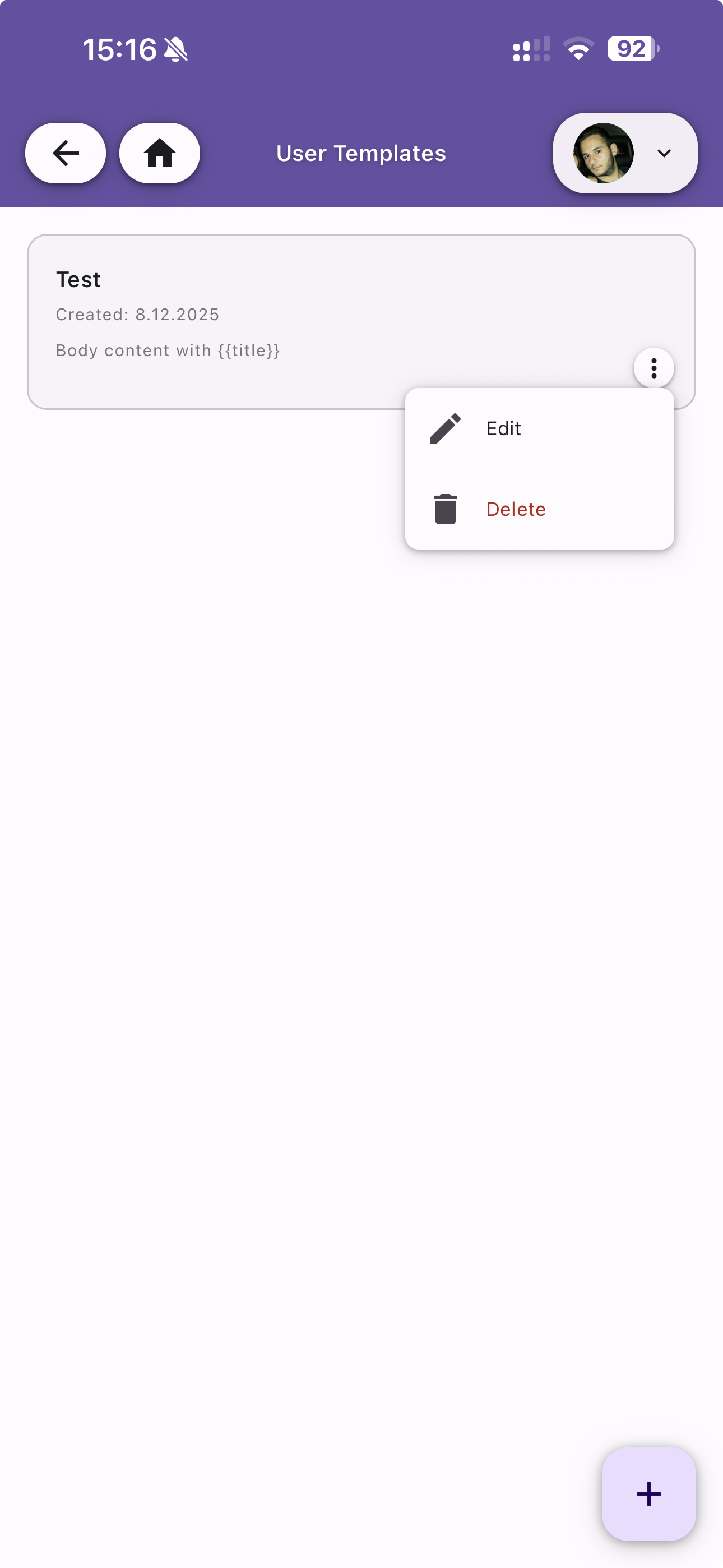
Template List
View all your templates. Each entry shows:
- Name — The template name
- Created date — When the template was created
- Body preview — A snippet of the body content, including any placeholders
Tap the menu icon to Edit or Delete a template. Use the + button to create a new one.
Create / Edit Template
Configure a template with the following fields:
| Field | Required | Description |
|---|---|---|
| Name | Yes | A descriptive name to identify the template |
| Description | No | Optional notes about the template's purpose |
| Title | No | Title template — supports {{placeholder}} syntax |
| Subtitle | No | Subtitle template — supports {{placeholder}} syntax |
| Body | Yes | Body content template — supports {{placeholder}} syntax |
Placeholders
Use double curly braces to define dynamic fields, e.g. {{title}}, {{username}}, {{status}}. When sending a notification using a template, provide the placeholder values and they will be substituted into the final message.